The Complete Guide to Church Social Media Automation in 2026
How to turn one Sunday sermon into a full week of content without hiring a social media manager.
By SermonFlow
In this guide:
- 1. The Church Content Problem (and why it's getting worse)
- 2. What "Automation" Actually Means for Churches
- 3. The 5 Content Types Every Church Should Automate
- 4. The Technology Stack: What You Need
- 5. The ROI: What Automation Saves You
- 6. Getting Started: Your First Automated Week
1. The Church Content Problem
The average church posts 2-3 times per week on social media. The average church that'sgrowing posts 4-5 times per day. That's not a typo — it's a 10x gap between stagnant and thriving digital ministries.
The reason most churches can't close this gap isn't a lack of content — it's a lack of capacity. Every Sunday, your pastor delivers 30-45 minutes of original, theologically rich content. That single sermon contains enough material for 30+ social media posts, 10+ video clips, 5+ quote graphics, and a full email newsletter.
The problem isn't creation — it's extraction and distribution. And that's exactly what automation solves.
10-15h
Hours/week to manually create church content
90 sec
Time to generate a full week with AI
30+
Content pieces from one sermon
2. What "Automation" Actually Means for Churches
Let's be clear: automation doesn't mean removing the pastor from the process. It means removing the busywork — the clipping, the captioning, the graphic design, the scheduling, the platform-by-platform posting — so the pastor can focus on what matters: the message itself.
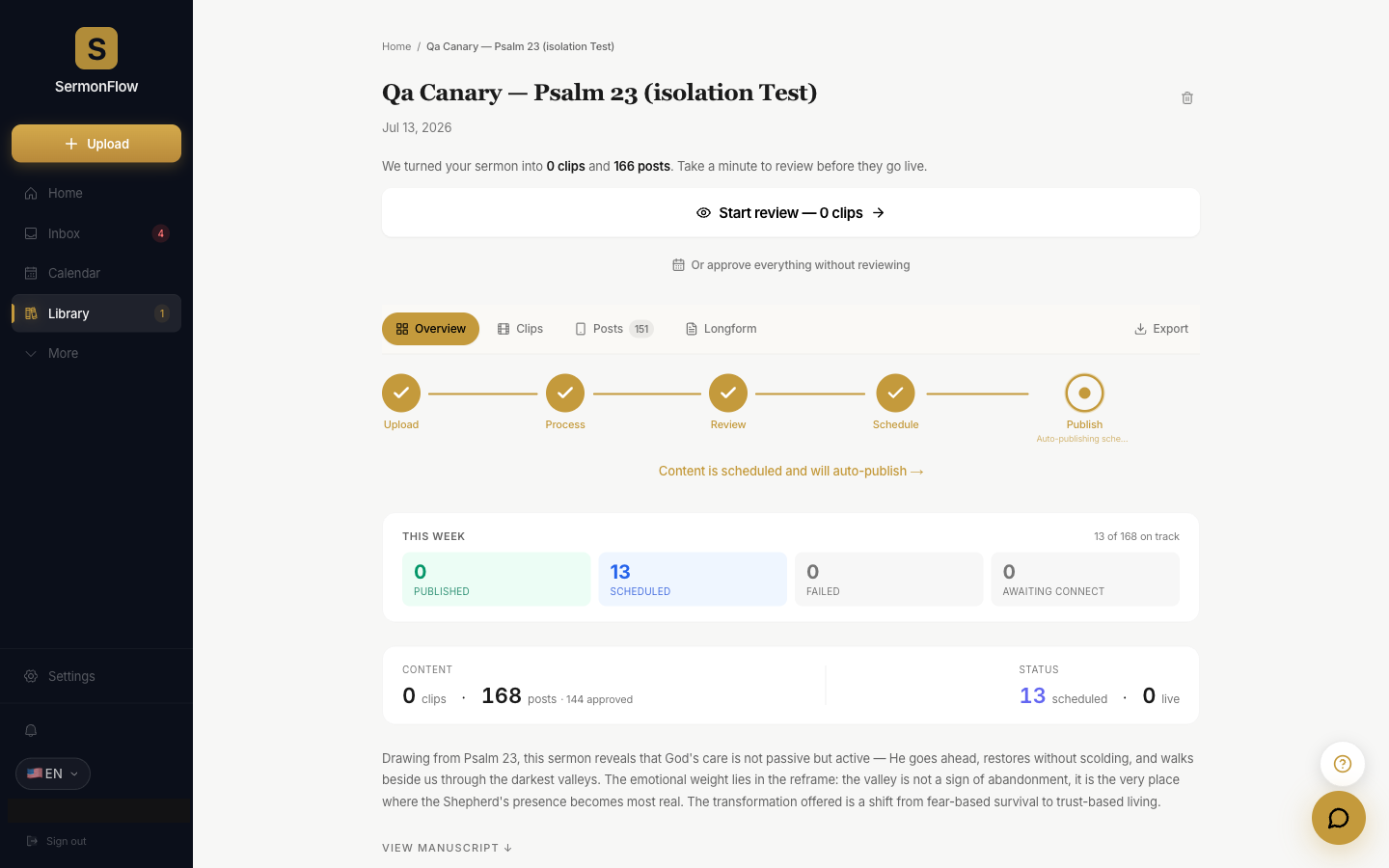
A properly automated church content workflow looks like this:
- 1Pastor preaches on Sunday — the only human input required
- 2AI processes the sermon — transcribes, identifies key moments, extracts quotes
- 3Content is generated — video clips, quote graphics, carousels, newsletters
- 4Pastor can review on their phone — swipe to edit or skip anything, or skip this step entirely; the week still goes out
- 5Content publishes automatically — to every platform, at optimal times
3. The 5 Content Types Every Church Should Automate
Video Clips (Reels/Shorts/TikToks)
60-90 second vertical clips with AI-generated captions. The highest-engagement format on every platform.
Quote Graphics
Branded images with key sermon quotes. Perfect for Instagram feed, Facebook, and Pinterest.
Carousel Posts
Multi-slide posts that break down sermon points — the format designed to be saved and shared.
Email Newsletters / Devotionals
Weekly devotional emails that extend the sermon into daily application. Deepens discipleship.
Blog Posts / SEO Content
Long-form articles from sermon transcripts that rank on Google and drive organic traffic.
4. The Technology Stack: What You Need
There are two approaches to church content automation:
The DIY Stack (5+ tools)
- • Descript ($24-65/mo) or Opus Clip ($15-29/mo)
- • Canva Pro ($18/mo)
- • Buffer or Later ($18-60/mo)
- • Mailchimp ($13-60/mo)
- • ChatGPT ($20/mo)
- = $84-223/mo + 5-8 hours/week of your time
The All-in-One (SermonFlow)
- AI clip generation with captions
- Custom graphic design (AI-generated)
- Auto-scheduling to 9 platforms
- Email newsletter generation
- Theological verification (Preach-Safe)
- = One tool, 90 seconds of your time
5. The ROI: What Automation Saves You
The biggest return isn't a vanity metric — it's the hours your team gets back and the cost of the staff role you no longer have to hire for. Teams that automate their sermon content report saving 40+ hours a month, and a single sermon can generate a full week's worth of posts across every platform.
40+ hrs
Teams report saving 40+ hours a month vs. doing it by hand
1 tool
Replaces the stack of tools (and the role) most churches juggle
30+
A week of posts from a single sermon
6. Getting Started: Your First Automated Week
Here's how to go from zero to a full week of automated content in under 5 minutes:
- 1
Upload your sermon recording
Audio or video — any format. Just drag and drop.
- 2
Wait 90 seconds
AI processes your sermon and generates clips, graphics, quotes, and newsletters.
- 3
Review on your phone — optional
Open the iOS app Monday morning to edit or skip anything. 2 minutes. Skip it entirely and the week still publishes.
- 4
Content publishes all week
Instagram, Facebook, TikTok, YouTube, X, Threads — all handled automatically.
Ready to automate your church’s content?
Start your 14-day free trial. Cancel anytime.
Get My Content Team — 14 Days Free